JSONHelper — Visualize and Explore JSON
JSONHelper is a browser-based tool that converts JSON into a clean, collapsible visual map. Paste your JSON and instantly explore objects, arrays, and deeply nested structures without losing your place.
If you work with REST APIs, logs, configuration files, or NoSQL exports, you already know that large JSON payloads can be difficult to read. JSONHelper makes JSON more human-readable by formatting, color-coding, and letting you expand/collapse sections as you navigate.
Tip
Nothing you paste is stored on our servers — the conversion happens in your browser.
What is JSON?
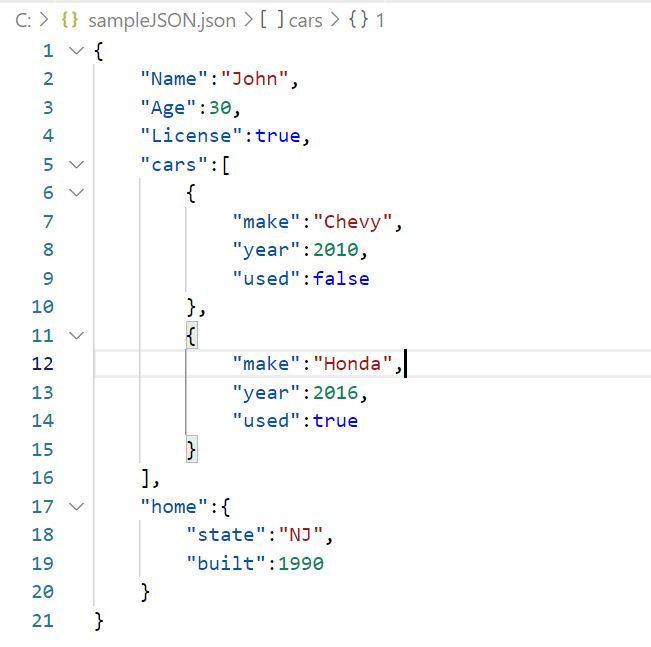
The Most Important Tool of the Internet!
Gaining popularity in the 2000s, JSON is a popular library for transmitting data over the internet. Unlike its legacy competitor (YAML), JSON became very popular in transmitting data between websites using REST frameworks.
However because of its versatility, JSON has become a viable asset when storing data. Although you could use it to store local app data, JSON gave birth to popular NoSQL databases such as MongoDB.
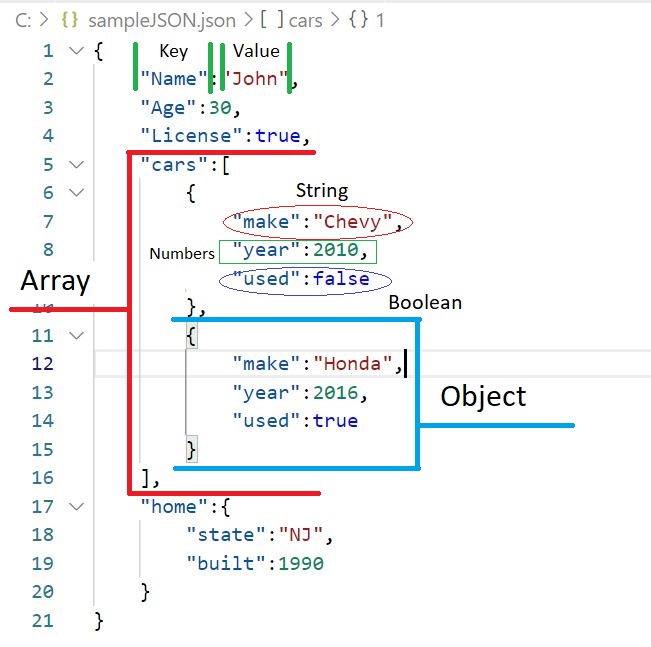
What Makes JSON so Versatile?
The way that JSON works is that it is based on a "key" and "Value" pair (where "key" is the index meaning you get the result "value" when you provide "key" like a dictionary).
JSON "Values" can be standardized as a String (text), Numbers, and Booleans (True/False). But JSON goes a step further by allowing you to also set "Values" as another JSON Object or even an Array (a list of JSON Objects or Strings, etc).
How Our Tool Works !
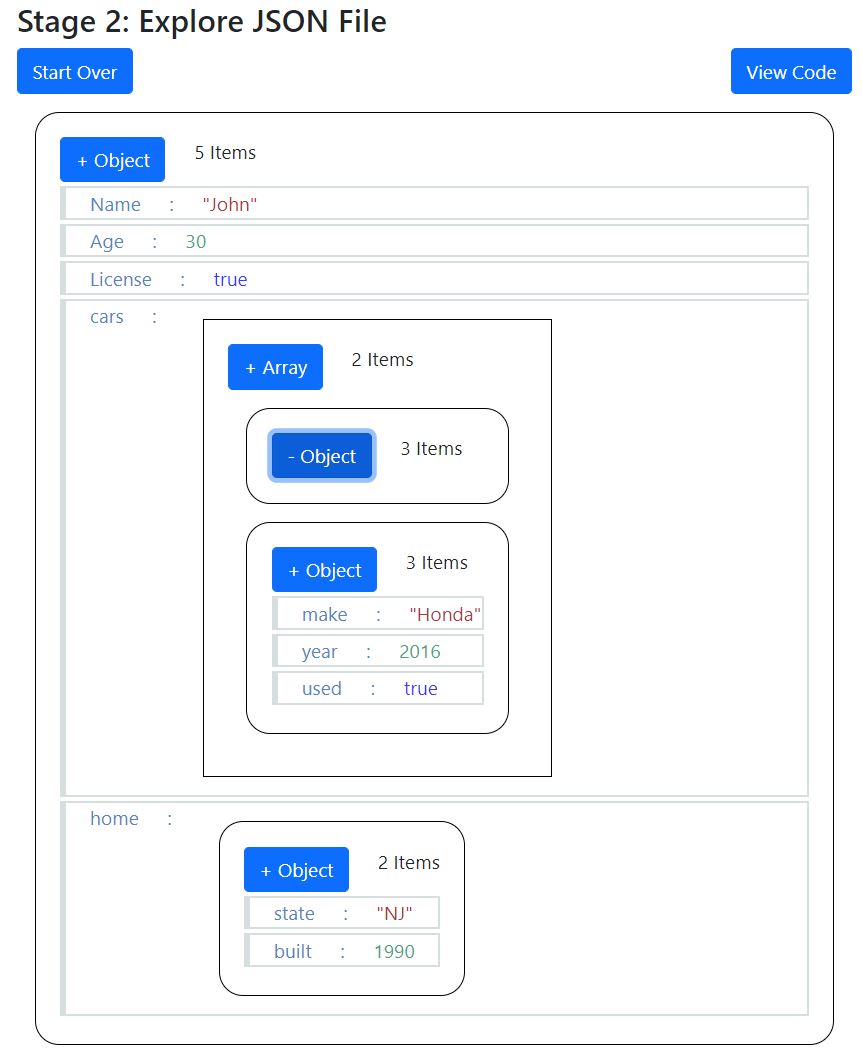
Making JSON More Human Readable
JSON is Great but one of its drawbacks is the limitations of being user friendly for first timers. We hope to address this with our tool.
Simply paste your JSON code in the editor window and have your values color coded. Simply click to collapse/expand your JSON Objects and Arrays.